
When the Printer Settings page is opened, the system automatically displays printers detected on the device or network under the Discovered Printers list.
The discovered list may include:
-
Bluetooth printers paired with the device
-
Network printers available on the same network
-
USB printers connected to the device
-
Built-in printers available on supported hardware
Users can tap Add next to a discovered printer to configure it.
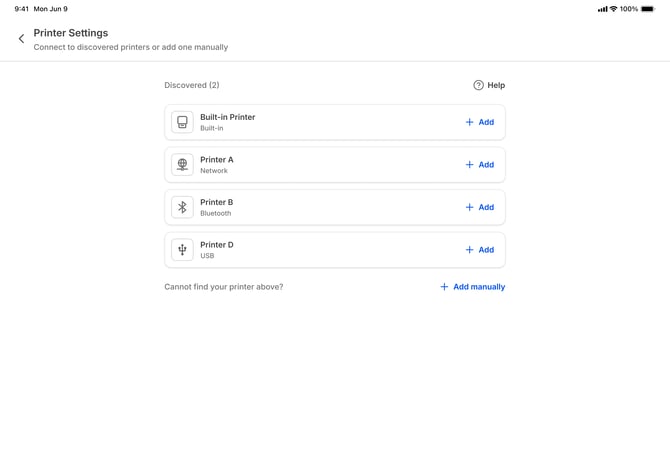
If no printers are found through the "Discovered" list you can manually add printers
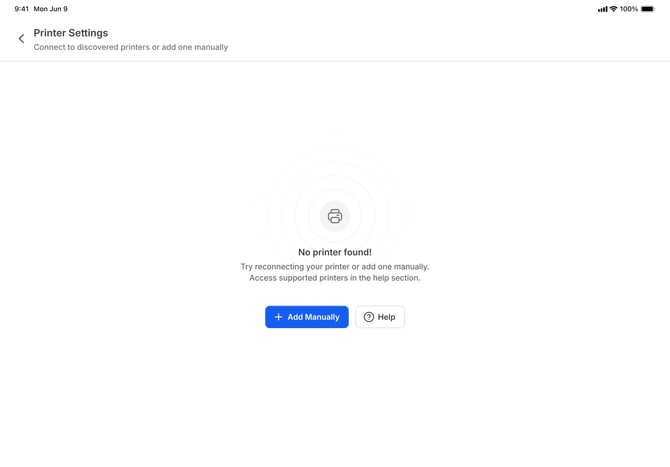
Troubleshooting printers that do not appear in the Discovered section:
If a printer does not appear in the discovered list, the cause usually depends on the printer connection type:
Bluetooth printers
Bluetooth printers will appear in the discovered list only if they have already been paired with the device through the device Bluetooth settings.
To resolve this:
-
Open the device Bluetooth settings.
-
Pair the printer with the device.
-
Return to Printer Settings in grubOne.
Once paired successfully, the printer should appear in the Discovered list.
Network printers
Network printers will appear only if the device and printer are connected to the same local network.
Check the following:
-
The printer is powered on
-
The device and printer are connected to the same Wi-Fi network
-
The printer supports network discovery
If the printer still does not appear, it can be added manually using its IP address and port number.
Built-in printers
Built-in printers appear automatically on supported devices that include an integrated printer.
If the printer does not appear:
-
Ensure the device supports a built-in printer
-
Restart the device if required
Next Article: