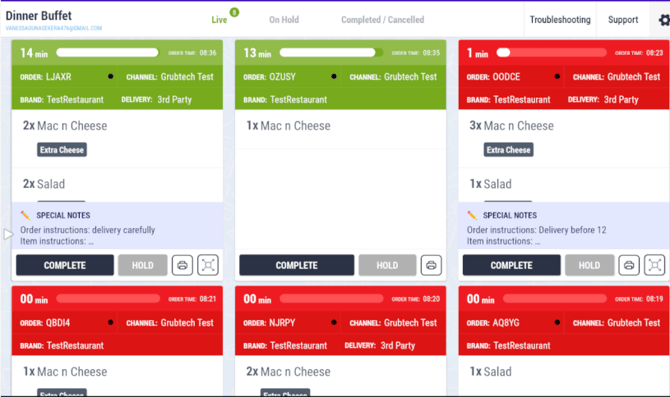
Top Bar
- The name of the active station and the user email ID.
- Live: Shows all incoming and active Kitchen Order Tickets (KOTs) that are currently being prepared.
- On Hold: Displays KOTs that have been temporarily placed on hold.
- Completed / Cancelled: Provides access to KOTs that have been completed or cancelled.
- Troubleshooting & Support: Offers quick access to troubleshooting tools and support options to help resolve any issues related to the KDS application.
- Settings: Accessed via the settings (cogwheel) icon, allowing users to open the Settings Panel.